
R/C USB-Interface for flight simulators
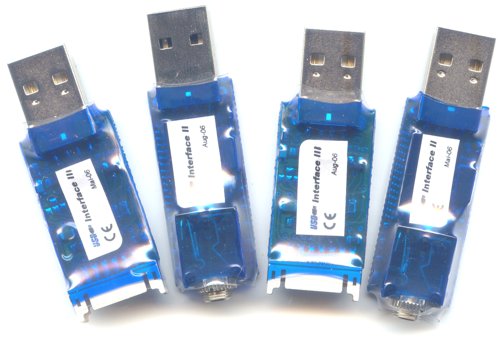
USB-Interface II and USB-Interface III
-
learn and train model flying without the danger of a crash, independent on weather daytime or your flight instructor
-
works with nearly all R/C transmitters (Graupner, Futaba, Multiplex, Hitec, Walkera, ..)
-
works with nearly all R/C receivers (Graupner, Futaba, Multiplex and compatible)
-
runs with most simulators (FMS, Realflight G2, Piccofly, Easyfly, Aerofly, games, ..)
-
no hand-soldered cheap schlock but machine-made goods of quality
-
simple installation, no driver needed
-
axis and buttons are programmable
-
future-proof due to updateable software, programmable with self-made software, SDK available
Overview
USB-Interface II
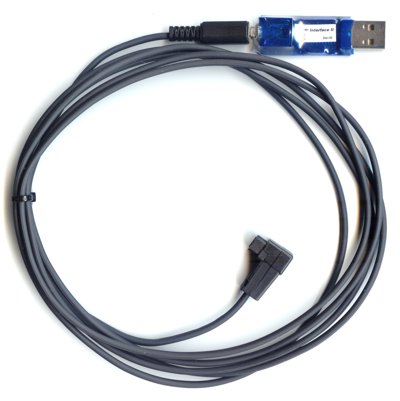
USB-Interface II with Fu6sq transmitter cord
Technical data USB-Interface II
The RC-USB-Interface has some enhancements compared to the Gameport Interface:
-
It can be used by modern notebooks equipped without gameport.
-
supports USB 1.1, USB 2.0, Hot-Plugging and is powered by USB
-
works with all transmitters: Though easily exchangeable transmitter cords, you can use one USB-Interface for different transmitters
-
Up to 9 RC channels are transmitted to the PC. Consequently, you can also control flaps, retractable landing gear, .. in suited simultators with the R/C transmitter.
-
channel assignment: R/C channel 1 to 7 -> joystick axis 1 to 8, R/C channel 5 to 9 -> button 1 to 8
-
The small tremble of the model rudders (due to many analog-digital convertions: PPM A -> µcontroller AD -> RC-unit DA -> sound card AD -> simulator) is reduced by the completly digital working RC-USB-Interface (PPM A -> µcontroller AD -> USB client D -> USB host D -> simulator).
-
fast and precise digitalization with 256 steps
-
flashing control LED
-
The USB-Interface II is programmable: Assignment of axis and buttons, reaction of buttons can be reprogrammed quickly and easily.
-
since Okt. 2006 updatable firmware: The Interface is prepared to understand future transmission modes of new transmitters. (look for firmware updates in the Forum, e.g. Walkera PCM WK-0701, 3000 steps resolution, ..)
Compatibility
After having installed the HID-driver (HID-driver, Windows included), the USB Interface is instantly ready for operation on Win98 SE, WinME, Win2000, WinXP (instruction manual usb-interface_en.pdf [210kB]), LINUX, Mac OS X (Screenshots osx.pdf [280kB]), .. (in general: all O/S that support HID USB joysticks). It has a 2m cable and works with nearly all R/C transmitters equipped with a buddy box.
The USB Interface works with most R/C simulators that can be controlled by a normal joystick:
|
|
It doesn't work with Reflex, Reflex XTR or True-Flight.
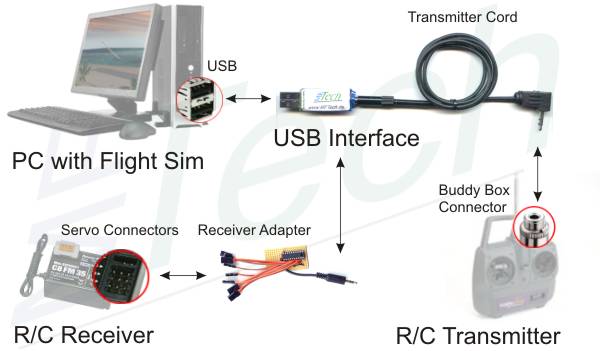
Connectivity
interface name: USB-Int2
USB-Interface II with fixed receiver cord
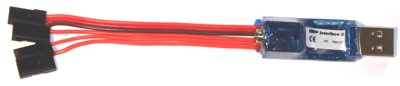
USB-Interface II with fixed JR receiver cord
Technical data USB-Interface II with fixed receiver cord
Same data like USB-Interface II plus:
-
It can be connected with an R/C receiver. So a transmitter without buddy box or PPM signal can be made suitable for simulators. The USB-Interface supplys the receiver with power. It reads up to 4 R/C channels from the receiver.
-
Transmission up to 4 signals from the receiver
-
All transmitter cords to connect it with a R/C transmitter are usable
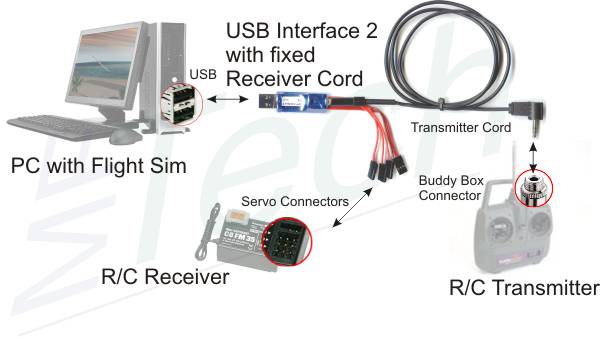
Connectivity
interface name: USB-Int2_R
RC USB-Interface III
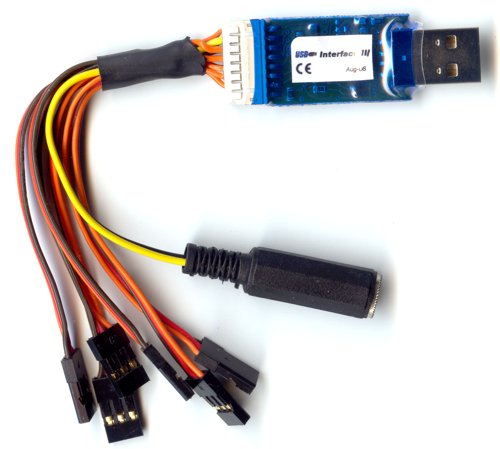
USB-Interface III with JR3.5 receiver cord
Technical data RC USB-Interface III
RC USB-Interface II has the following enhancements compared to its predecessor:
-
It can be connected with an R/C receiver. So a transmitter without buddy box or PPM signal can be made suitable for simulators. The USB-Interface supplys the receiver with power. It reads up to 7 R/C channels from the receiver.
-
Optionally, a transmitter cord can be connected with the exchangeable receiver cord. The USB-Interface III is used with the R/C transmitter just like USB-Interface II. The source of the signal is detected automatically.
-
It has a 16 pin connector and its firmware is updatable. So it can be used as generic device for monitoring, sensor measurement, controlling, as USB dongle, migrating applications to USB, PPM analyzer, training, prototyping, ...
-
The Software Development Kit - USB-Interface III SDK is offered for free. It supports the development of new applications. Examples can be found in the Forum, e.g. PPM Generator (controlling a model via PC)
-
More information: data sheet usb-int3_datenblatt.pdf [180kB]
Compatibility
see USB-Interface II
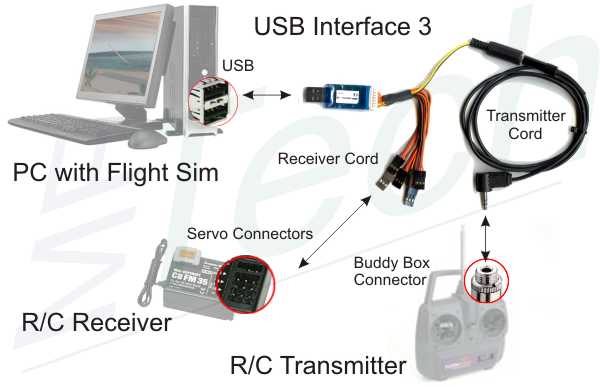
Connectivity
Interface name: USB-Int3
Programming tool for R/C USB-Interface
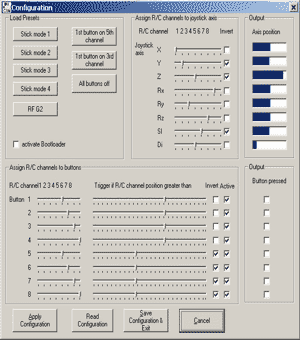 |
The Interface is programmed with IntCon. The Assignment of axis and buttons can be chosen freely. The program runs on Windows 98 to Windows XP. This software and a brief instruction manual is here: software |
Transmitter Cords
The USB-Interface hard- and software is designed to work with all transmitters. The Interface is equipped with a connector for transmitter cords fitting your individual buddy box. More information about buddy box pin assignment: buddy boxes
|
3,5 mm stereo jack plug
|
R/C vendor: Graupner / JR
transmitter: FM 314, mc-10, mc-12, mc-14, mc-15, mc-16, mc-16/20, mc-18, mc-20, mc-22, mc-24, mx-22, JR 9x, JR 347, FM4014 (pos. modulation), ... JR (European RF part and buddy box): JR Quattro, JR 9x, X-347, X-387, X-388, X-756, X-3810, .. transmitter cord name: JR3.5
R/C vendor: Lexors
transmitter: Nova 4, Nova 4+1, Nova 6 transmitter cord name: Lex3.5 |
|
3,5 mm mono jack plug
|
R/C vendor: Futaba
transmitter: FC-28, FC-16, FC-18, 3PJ, T3PJ, T3PK, ... transmitter cord name: Fu3.5
R/C vendor: Graupner/JR
hand held transmitters with DSC connector: MX-12, MX-22, .. JR (American RF part and buddy box): X-347, X-387, X-388, X-756, X-3810, .. transmitter cord name: Fu3.5
|
|
2,5 mm mono jack plug
|
R/C vendor: Futaba
transmitter: FX-14, FX-15, FX-18, ... transmitter cord name: Fu2.5 |
|
5-pin DIN plug
|
R/C vendor: Multiplex
transmitter: Pico-Line, mc1010, .. transmitter cord name: MPX5
R/C vendor: Robbe
transmitter: CM-Basic, (Terra Top), mc2015F, .. transmitter cord name: Ro5
R/C vendor: Sanwa
transmitter: (RD8000, RD6000, VG400, VG6000, Radiant, Vanguard PPM), .. transmitter cord name: Sa5 |
|
7-pin DIN plug
|
R/C vendor: Multiplex
transmitter: Pico-Line, EVO 9, Cockpit MM, mc3030, .. transmitter cord name: MPX7 |
|
6-pin DIN plug
|
R/C vendor: Futaba
transmitter: FC-16, FC-18+, FC-28, FF 7, .. transmitter cord name: Fu6DIN
R/C vendor: Hitec
transmitter: Laser 4, Flash, Eclipse, .. transmitter cord name: Fu6DIN |
|
6-pin square plug
|
R/C vendor: Futaba
transmitter: 4C, 7C, 9C, FF 4, FF 7, FF 9, T6EXA, Skysport T4YF, .. transmitter cord name: Fu6sq
R/C vendor: Kyosho
transmitter: transmiter of Caliber 24 transmitter cord name: Fu6sq |
|
special pin assignments
|
on request
Graupner MicroG JR4DIN
Walkera PCM WK-0701 WK701-4DIN
Walkera 22E (35, 36, 39) WK22E-4DIN
..
|
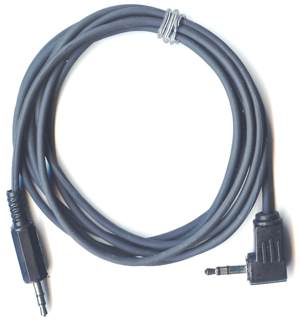
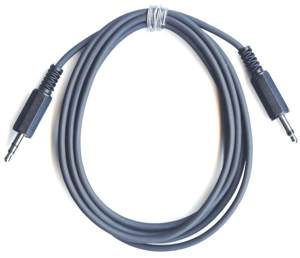
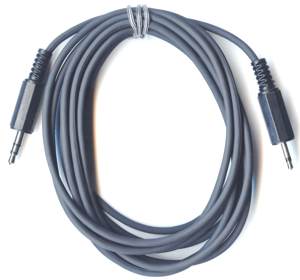
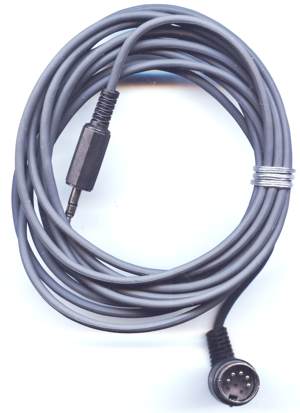
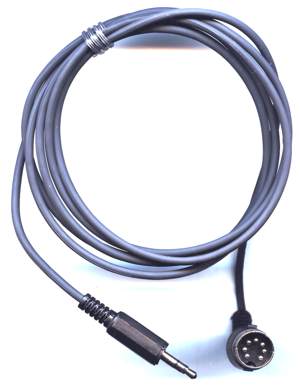
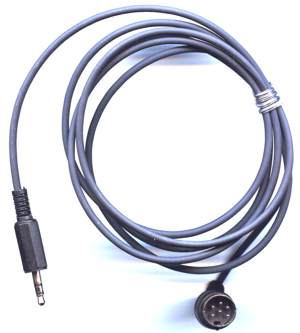
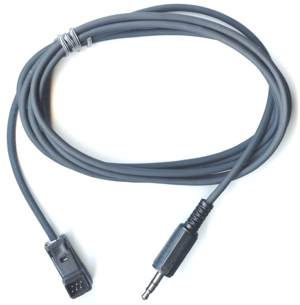
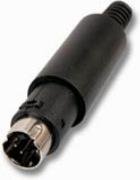
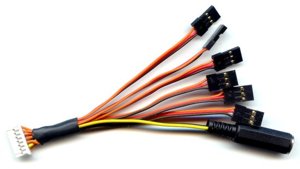
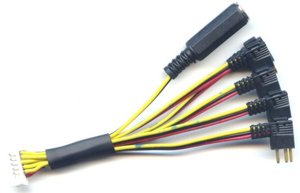
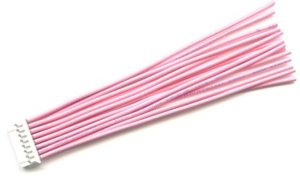
Receiver Cords
The USB-Interface 3 is connected with the servo connectors of R/C receivers or a transmitter cord via these receiver cords. Special pin assignments are possible.
|
Graupner/JR receiver cord
|
Receiver with Graupner/JR servo connectors
further R/C vendors with compatible connectors
receiver cord name: R-JR |
|
Multiplex receiver cord
|
Receiver with Multiplex servo connectors
further R/C vendors with compatible connectors
receiver cord name: R-MPX |
|
Futaba receiver cord
|
Receiver with Futaba servo connectors
further R/C vendors with compatible connectors Walkera
receiver cord name: R-Fu |
|
Development receiver cord
|
connects the USB-Interface 3 with periphery or PCBs for self-made
applications receiver cord name: R-Dev |
Receiver Adapter
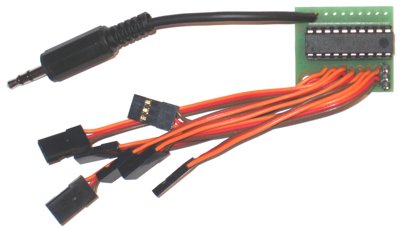
Receiver Adapter with Graupner/JR servo connectors
Equipped with the Receiver Adapter you don't need a buddy box connector on your R/C transmitter to use the USB Interface. The Receiver Adapter is connected with the R/C receiver. It reads out the individual servo positions and provides the PPM signal for the USB Interface 2.
-
uses up to 7 servo channels
-
operates with all R/C receivers, that support popular servos from Graupner/JR, Futaba or Multiplex
-
can be used in wireless master/slave trainer system in principle
Installation, hints
Windows
Quickstart USB-Interface:
quickstart_de.pdf [ 260 kB], quickstart_en.pdf
[
260 kB], quickstart_en.pdf
[ 260 kB], quickstart_it.pdf [
 260 kB]
Instruction manual USB-Interface:
usb-interface.pdf [
+
1,4 MB]
Data sheet USB-Interface 3 usb-int3_datenblatt.pdf [180kB]
Mac OS X
Screenshots osx.pdf [280kB]
FAQ
(Flash Player 5 required)